
Training and setup
Setting up a measurement is simpler than it looks
Two scenarios, one reading criterion: a temporary install for an event lasting a few days, or a permanent install in a venue that runs all year. We train your technical team or your usual supplier.
Two types of install
Temporary or permanent: the setup changes, the reading doesn't
Temporary install
An event lasting one to a few days.
- When
- Congresses, conventions, activations, shoots and one-off sessions.
- Sensors
- PTZ optical sensors over NDI or SDI, on tripods or clamped to truss.
- Software
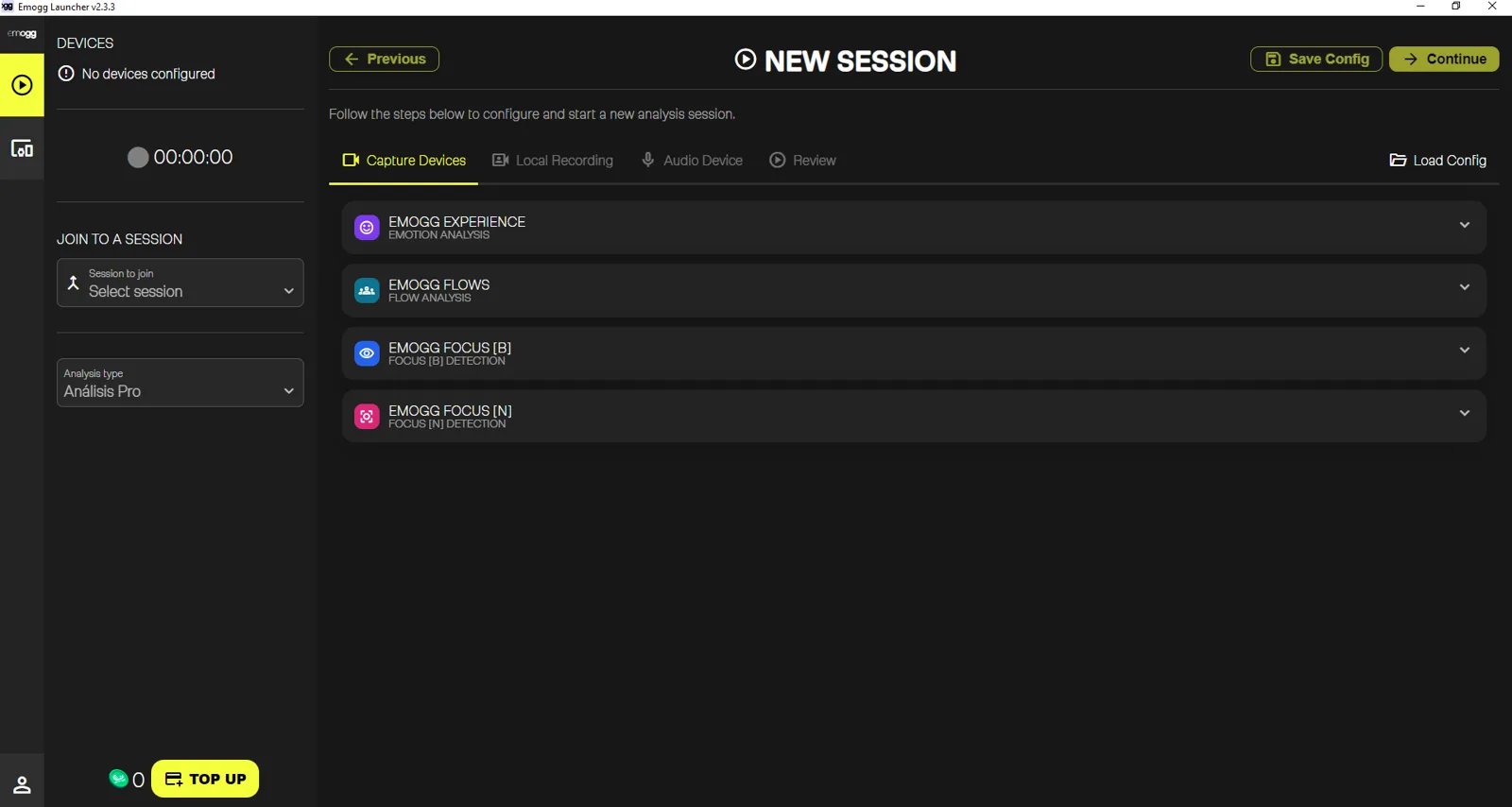
- Emogg Launcher on a control laptop.
- Setup
- Set up in hours, taken down when it ends.
- Output
- An event report, ready to download from the dashboard.
Permanent install
A venue that runs all year round.
- When
- Stores, museums, sports venues and corporate spaces.
- Sensors
- Existing or new security cameras (AXIS, Hikvision, Reolink).
- Software
- Emogg Agent on a central computer inside the venue.
- Setup
- Installed once, running continuously.
- Output
- Continuous readings, comparable across weeks, seasons and sites.
Temporary install
Four steps to get it running
Plan the framing
Each sensor covers 20 to 30 people, as frontal as possible and never too overhead. We look for the most discreet position, one that keeps the audience's sightlines clear.
Cable and connect
CAT6/CAT7 Ethernet to a gigabit switch and router. The control computer uses two network adapters — one for the local network, one for the internet — each on its own IP range.
Set up the software
NDI Tools for network sources, or a capture device when the signal arrives over SDI/HDMI. Then log in to Emogg Launcher and pick the devices for the session.
Test and launch
We set aside time before the event to check framing and reading reliability. Once the test passes, the session goes live.
For very small, well-lit spaces — a meeting room or a video call — there is also a USB setup with a single webcam.
Diagram
How it all connects
Sensors run over Ethernet to the switch, the switch to the router and the router to the control computer, which also keeps its own internet uplink.
- Sensors
- Switch
- Router
- Control computer
- Emogg dashboard
Equipment
Basic Emogg Events pack
The usual kit for a standard event. It scales with the size of the venue and the number of sensors.
2 PTZ optical sensors
Models such as the Panasonic AW-UE100 or Sony SRG-A40, with 2 or 3 tripods. In some setups they are clamped to truss instead.
1 reference video
If the venue's technical team already has a camera, a capture device (BMD UltraStudio, AJA, Magewell) and HDMI/SDI cabling are enough. If not, we bring a wide-shot camera.
Network
1 gigabit router, 1 optional switch depending on venue size, and CAT7 Ethernet cabling (as a reference: 2 x 3 m, 3 x 30 m and a couple of patch cables).
1 control laptop
With Emogg Launcher, OBS Studio and the relevant drivers installed. A 10th-gen i7 or later with 16 GB of RAM handles 4 or more sensors.
Reference audio
1 USB audio interface (Scarlett 2i2, NI Komplete Audio 6, RME Fireface) and XLR cabling. We ask for an aux feed with mics plus audiovisual content.
Internet connection
Provided by the venue, at least 100 Mbit/s. If it comes over cable, a USB-to-Ethernet adapter is needed for the laptop.
Software
Emogg Launcher
The application used to prepare and start every session. It is downloaded from the web platform with the same account credentials.
- Select the available capture devices.
- Configure the session: analysis type, reference audio and review.
- Launch the session and follow the measurement live.
Permanent install
Making the most of what the venue already has
In a permanent venue there is often nothing new to install: compatible sensors (AXIS, Hikvision, Reolink) connect to a central computer running Emogg Agent, which processes locally and sends only aggregated data to the dashboard.
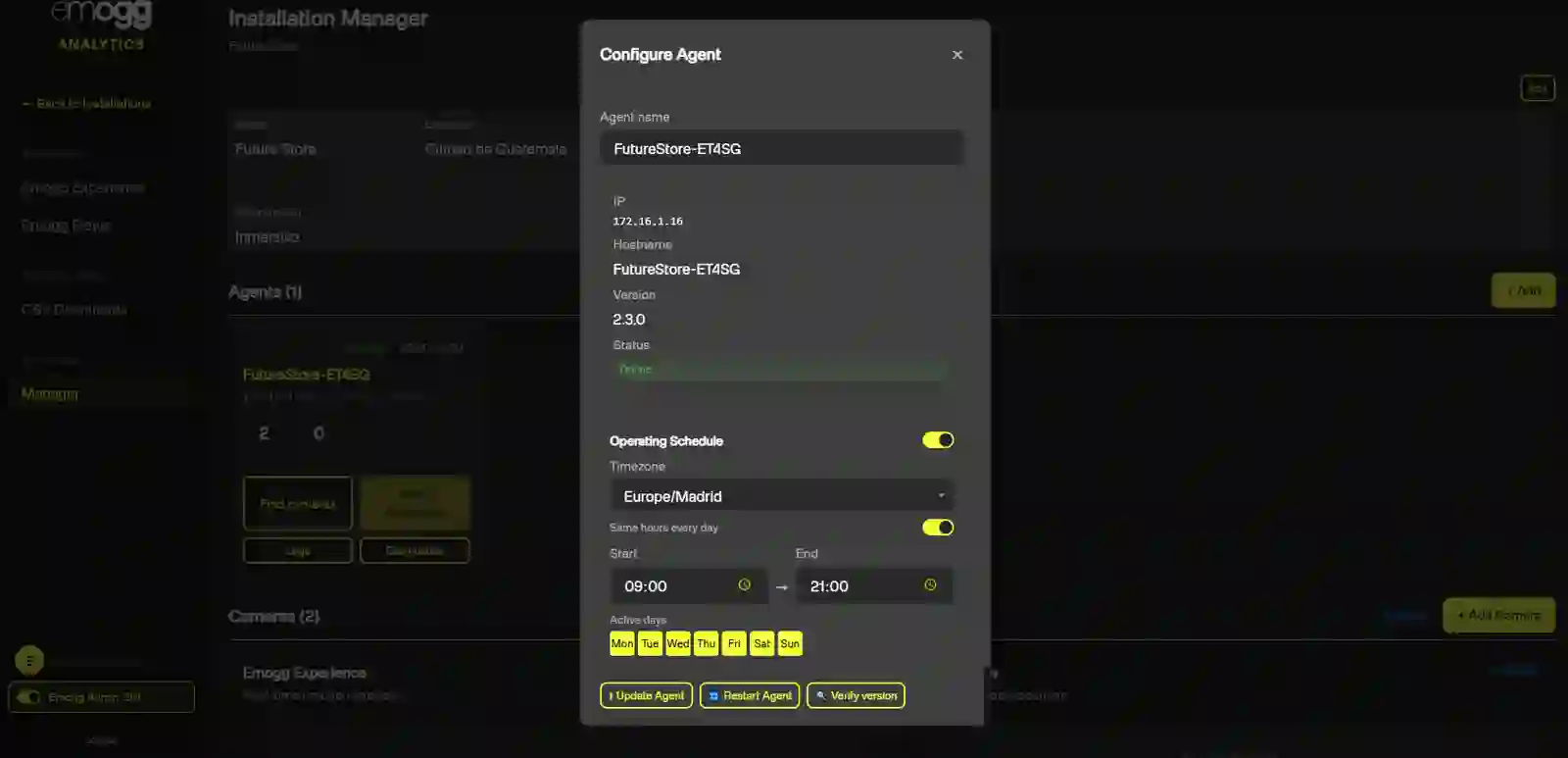
Reuses the existing install
When coverage and framing allow it, there is no building work and no extra equipment — just configuration.
One central computer
Emogg Agent takes every feed, runs the calculation inside the venue and needs no day-to-day intervention.
Continuous reading
Data builds up day after day, making it possible to compare time slots, campaigns, seasons and sites.
Privacy
The setup doesn't change the rule
Privacy
No images or video are stored
Every figure is calculated in real time during the session, with no recording and no image storage.
Aggregated data from the whole audience
The result is always collective: there is never a reading or a trace of any individual person.
No personal identification
The system detects the presence of people, not identities, and never cross-references any register.
Training and support
You're not on your own on setup day
Technical team training
A hands-on session on setup, configuration and launch, tailored to the type of install. [PENDIENTE: final duration and format]
Dry run
A test in the venue itself before the event, to validate framing, network and reading reliability.
Setup documentation
NDI, SDI and USB setup protocols, the approved sensor list and an equipment checklist.
Support during the session
Remote support while the measurement runs, so any issue is solved without stopping the event.
Partner programme
Certified Emogg Analytics installers
We're looking for AV companies, integrators and security-camera installation professionals who want to offer Emogg Analytics measurement to their clients.
Who it's for
- Production companies and audiovisual service providers for events.
- AV and corporate space integrators.
- Camera system and access control installers.
What's included
- Technical training on temporary and permanent installs.
- Certification as an Emogg Analytics installer.
- Access to technical documentation and the approved sensor list.
- Project referrals in your coverage area.
FAQs
Common questions about the setup
Want to measure your next event or your venue?
Tell us the context and we'll propose the setup that fits.